Design quality, in numbers
rather than adjectives
Every invitation platform says its designs are beautiful. Here is what we actually ship, what design quality means for something that opens on a phone, and the two places where a competitor is genuinely better.
The short version
An InviteDrop design is a complete piece rather than a card front. Each of the 1,200+ designs ships with the card, the envelope it arrives in, the liner inside that envelope and the backdrop it sits against, drawn from 257 liners and 403 backdrops. The catalog spans 33 occasions and 144 sub occasions in 17 style vocabularies and 10 colour families, with typography set per design rather than poured into one universal layout. Minted is better if you want printed stationery, and Canva is better if you want to design something from an empty artboard.
InviteDrop is an editor rather than a gallery, and the catalog is where you start rather than what you are limited to. Every element on a card can be dragged, resized from eight handles, rotated, flipped, recoloured and reset in any of 40 typefaces, and every image surface takes your own upload: the card itself, the photos in it, the backdrop, the envelope liner, the stamp, and even the font used to address the envelope. The full spec is below.
What the editor can actually do
The whole spec, in the editor's own words. Each control below is named the way it is named on screen, and each number is counted from the shipped catalog rather than rounded for the page.
Every element on the card
- Drag any element anywhere on the card.
- Resize it from eight handles, on the corners and the edges.
- Rotate text blocks, stickers and uploaded logos by dragging, with a snap at the straight angles.
- Set the typeface from 40 fonts in 4 families: display, sans-serif, script and serif.
- Set font size, colour, alignment, bold, italic, letter case, line spacing, letter spacing and opacity per element.
- Set any colour with a hue and saturation picker, a typed hex value, or the eyedropper, which samples a colour from anywhere on your screen.
- Add Text puts a new text block on the card, with the same controls as the ones that came with the design.
- Add Logo puts your own uploaded image on the card.
- Stickers places any of 122 stickers across 11 categories, searchable by name, and a sticker can also be flipped horizontally or vertically.
Your own photos and your own artwork
- Upload a photo into any photo slot on a design.
- Drag the photo on the card to reposition it, and pinch or slide to zoom.
- Turn any photo black and white with one toggle.
- Upload a whole design of your own instead, made anywhere, and drag it to choose exactly which part shows on the card. JPG, PNG or WebP up to 10 MB.
The backdrop behind the card
- Backdrop sets what the card sits against, from 403 backdrops in 11 categories.
- Or upload your own backdrop image, JPG, PNG or WebP up to 10 MB.
The envelope it arrives in
- Pick from 121 envelope papers, each one a colour with its own paper texture, drawn from 8: linen, kraft, cotton rag, vellum, felt, silk, recycled and embossed.
- Liner sets what shows inside the flap, from 257 liners, or upload your own.
- Stamp sets the stamp on the front, from 181 stamps including a wax seal, or use your own logo as the stamp.
- Turn the envelope off entirely if you would rather the card arrived on its own.
The name written on the envelope
- The recipient name is handwritten on the envelope front, and each guest sees their own name there.
- Set its typeface from 20 addressing fonts, and set its colour.
- Add a second line under the name with each guest’s city and state, the way a paper invitation is addressed.
- Upload your own font for it: .ttf, .otf, .woff, .woff2 up to 5 MB.
Two things are missing from that list on purpose. There is no AI that writes your invitation wording, because we have not built one and would rather say so than imply it. And a photo placed in a catalog design is framed by dragging and zooming it in its slot, not trimmed to a boundary; dragging to choose which part of an image shows belongs to the flow where you upload artwork of your own.
On being called less flexible than Canva
Half of that is fair. An InviteDrop design arrives finished and Canva starts from an empty artboard, so if what you want is to draw something from nothing, Canva is the better tool and we say so above.
The part that is not fair is the inference. Starting from a finished design does not mean the design is locked. Every element on the card can be dragged, resized from eight handles, rotated, flipped, recoloured and retyped in any of the fonts above. You can add your own text, your own logo, your own photos, your own backdrop, your own envelope liner and your own uploaded font. You can skip our catalog altogether, upload a design you made in another tool, and still get the envelope, the delivery and the RSVP tracking around it.
What a finished design buys you is the hour you would otherwise spend on margins and type hierarchy, and a result that still looks composed when you are done changing it. That is a different trade from being given fewer choices.
What people mean by design quality
Seven dimensions, and where we stand on each. Two of them are losses.
The design is a whole piece, not a card front
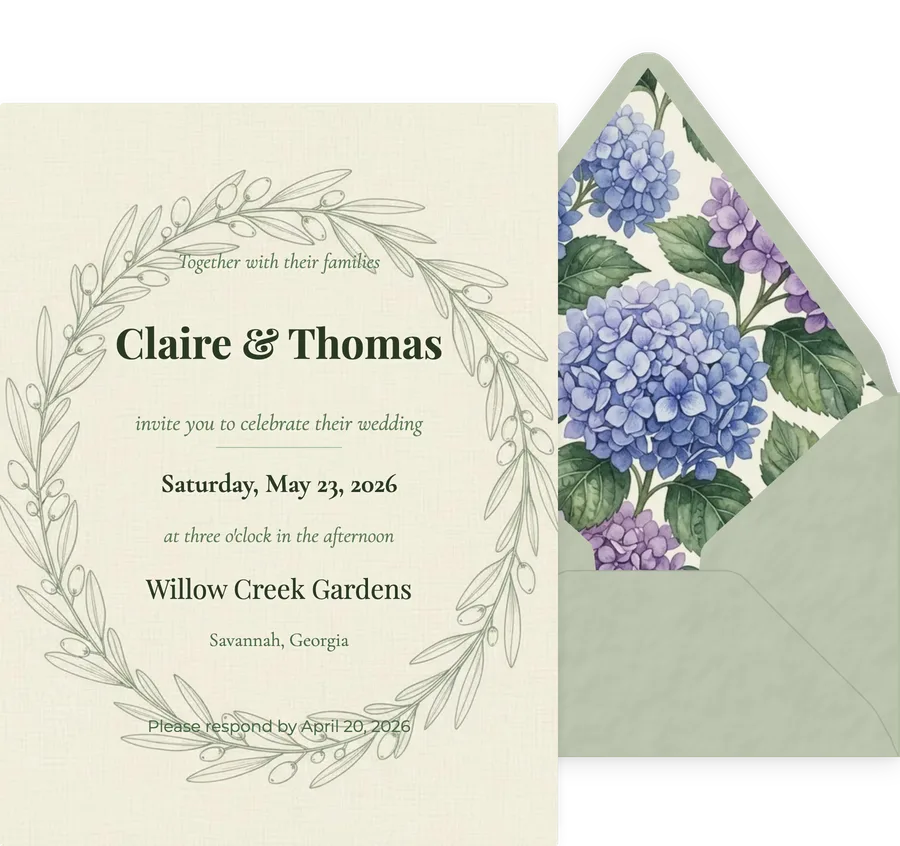
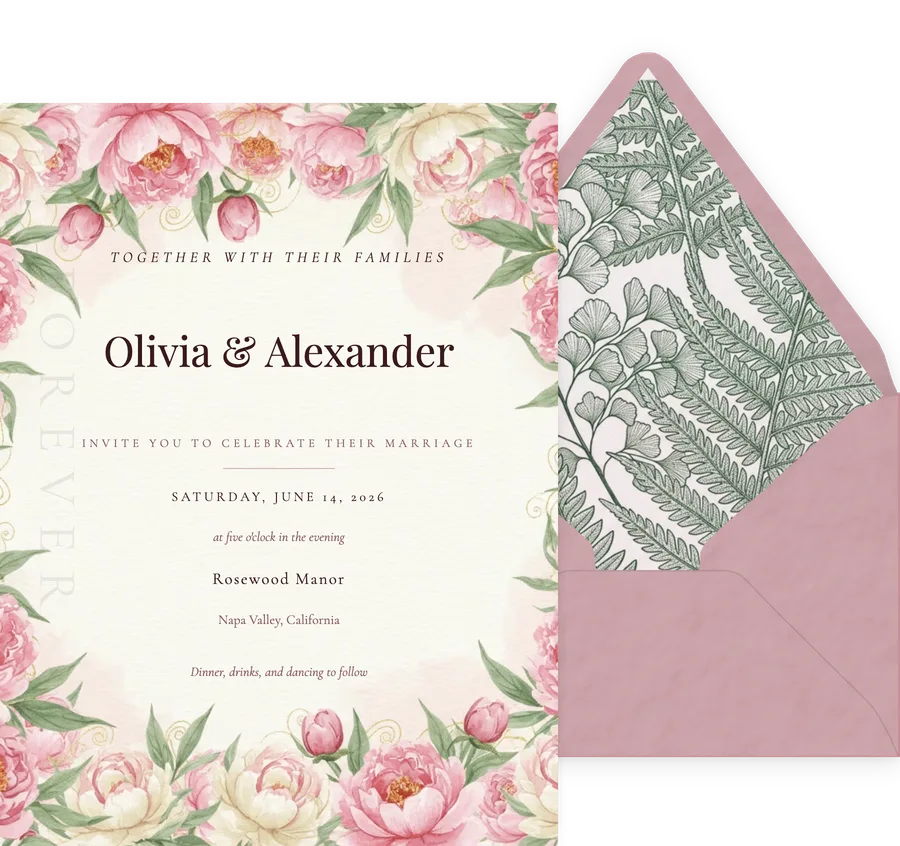
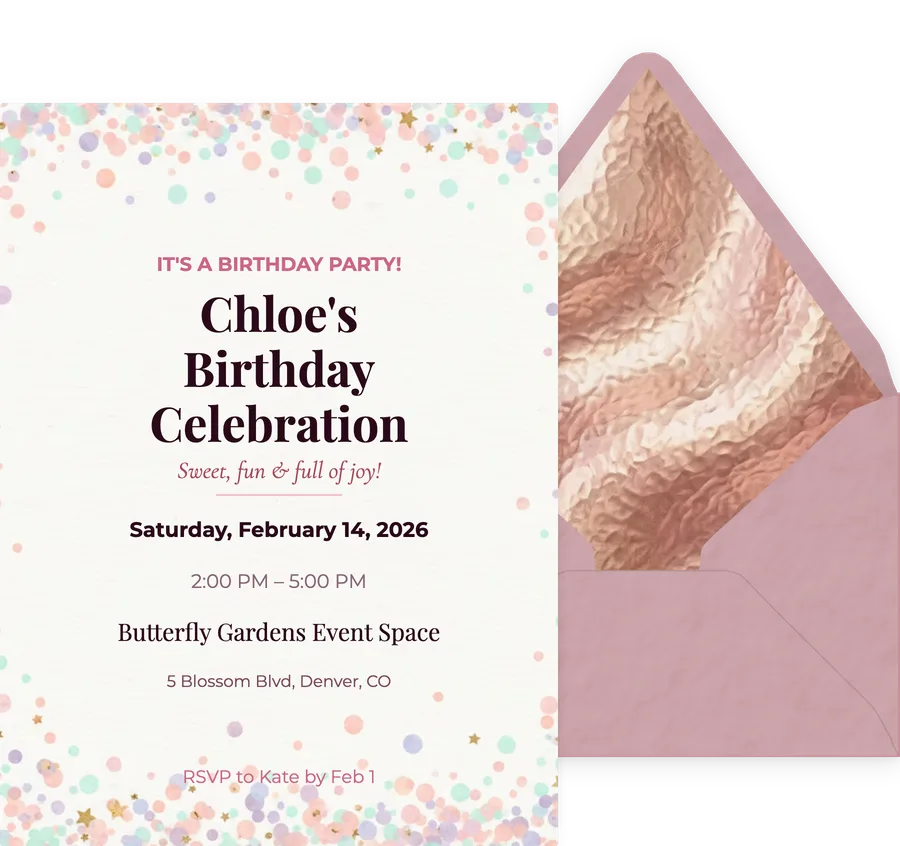
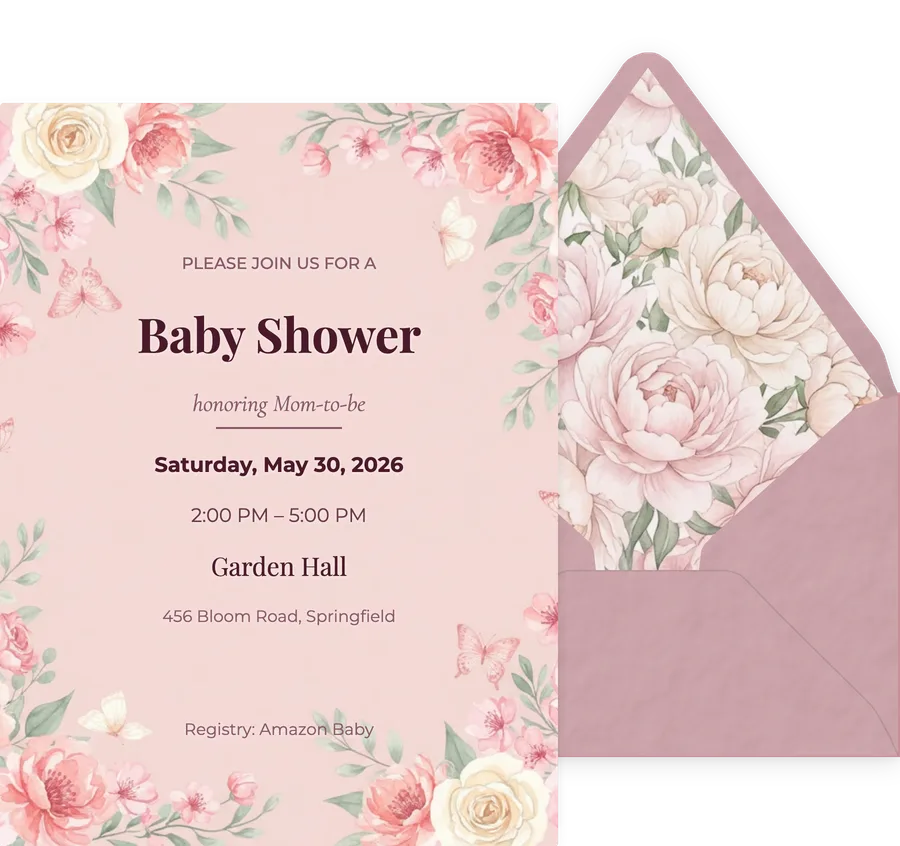
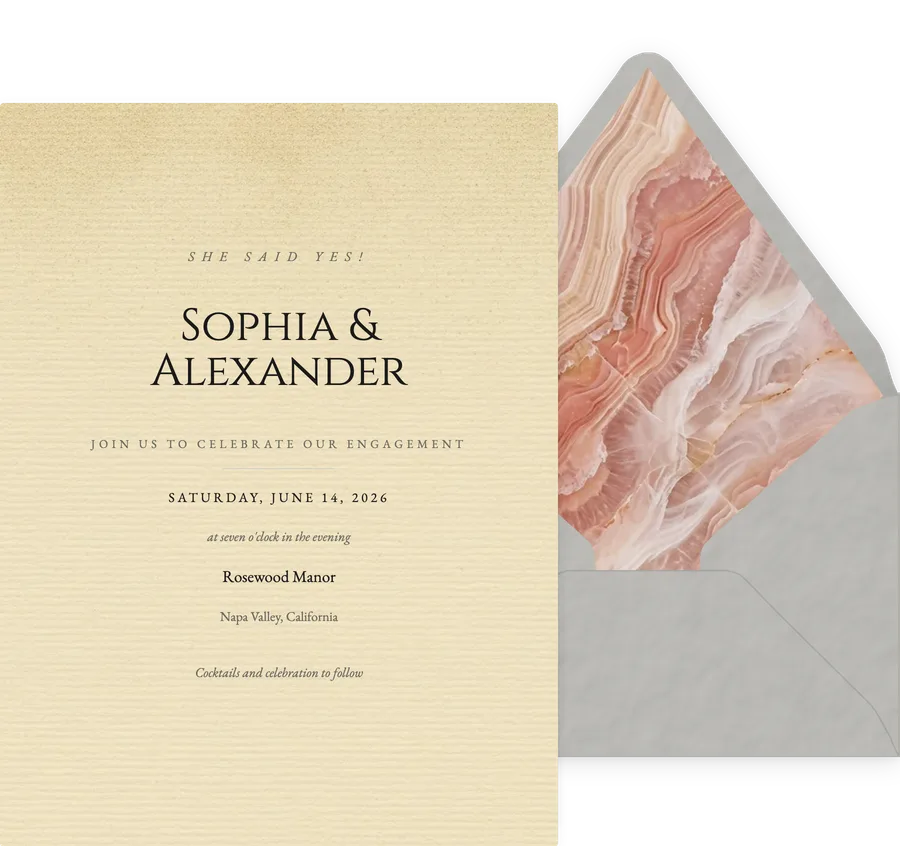
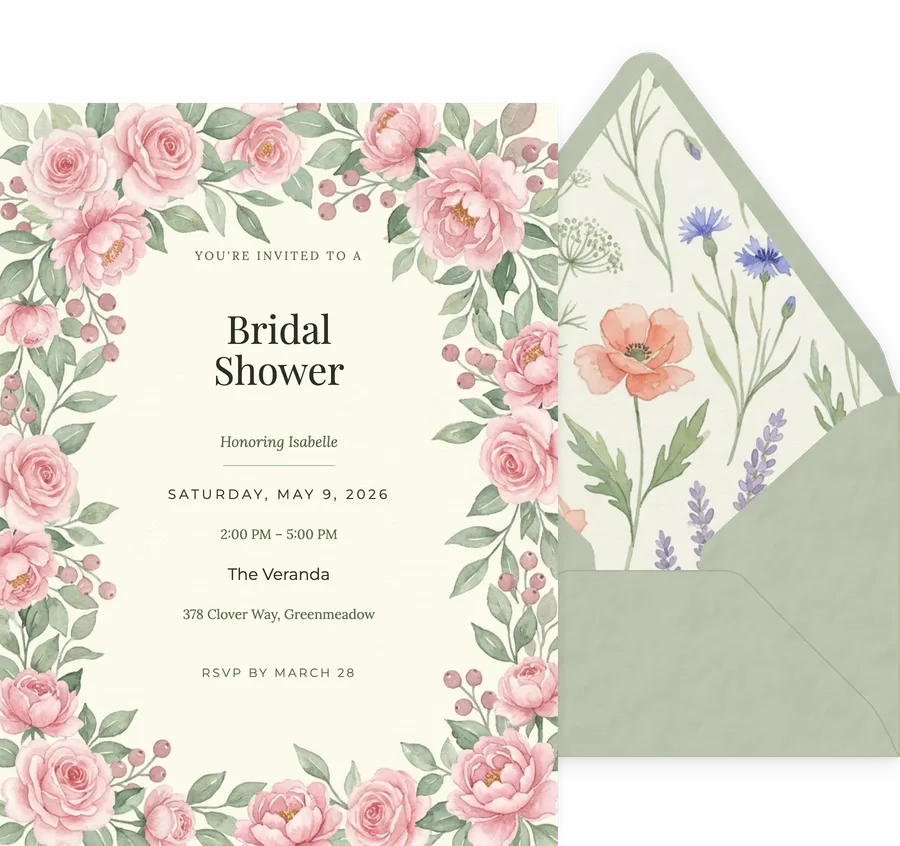
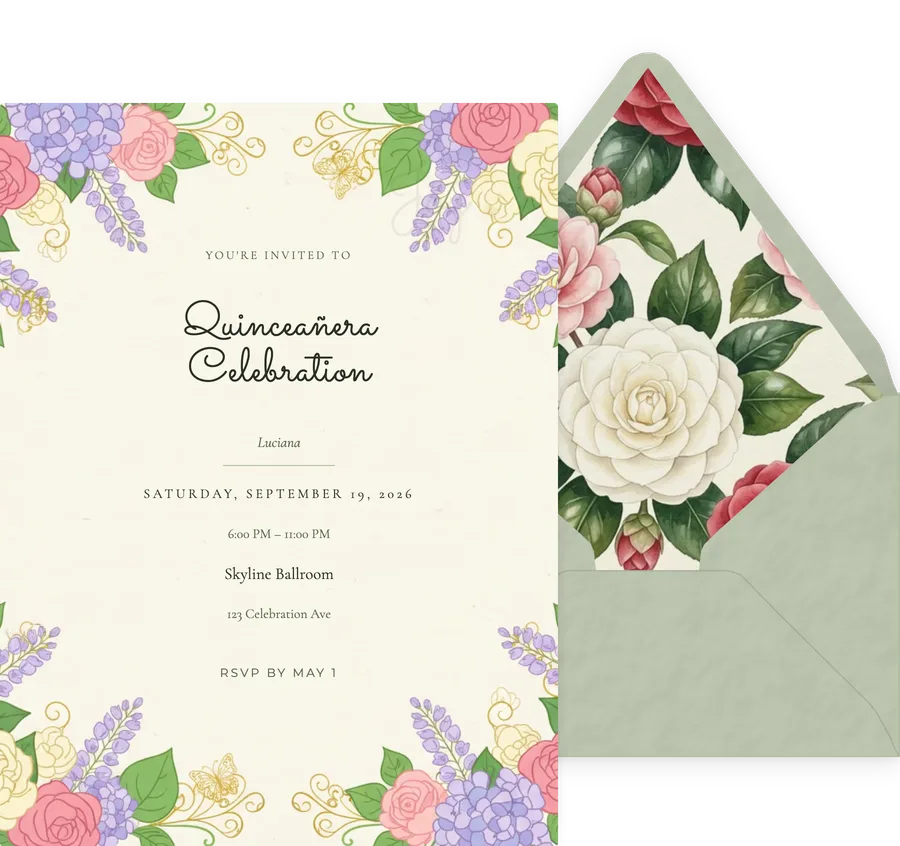
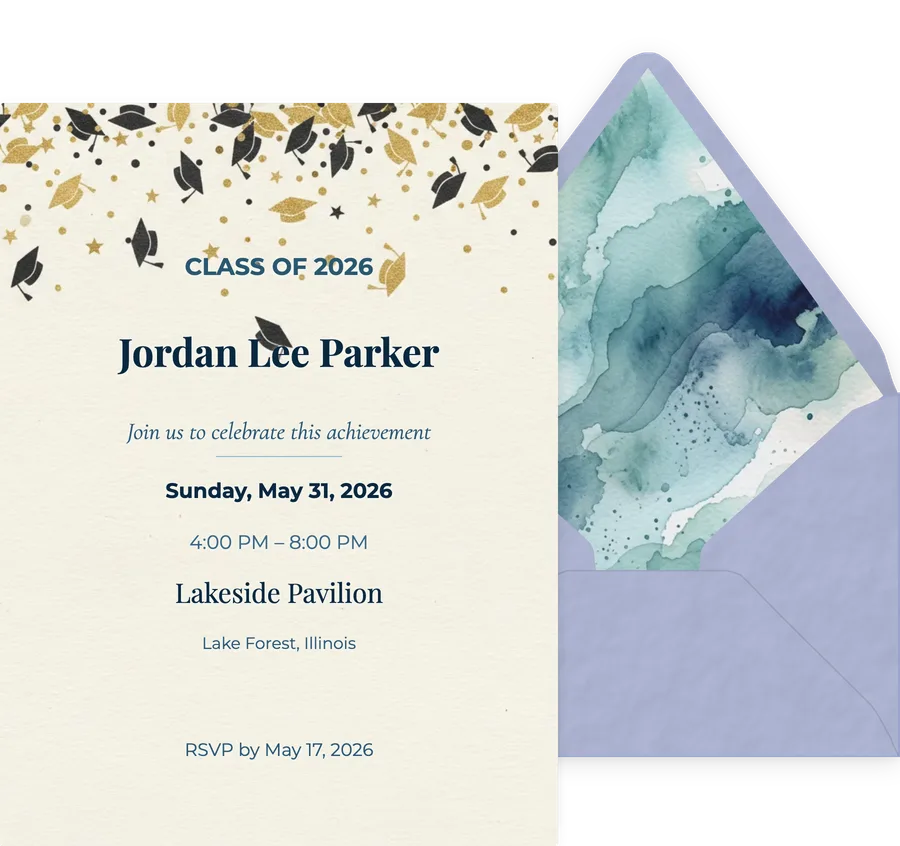
Every invitation ships as a set: the card, the envelope it arrives in, the liner inside that envelope, and the backdrop it sits against. Most platforms design the card and stop.
Typography set by hand for each design
Type pairings, sizes and spacing are set per design rather than poured into one universal layout, which is why a formal wedding card and a kids birthday card do not look like the same template twice.
Colour that stays coherent when you change it
Each design ships with curated palettes so the quickest path keeps the contrast and the mood the designer intended, and a full colour picker sits behind them with hue, saturation, a typed hex value and an eyedropper that samples any colour on your screen. Curated is the default, not the ceiling.
Range across formal and casual
The catalog runs from engraved and formal to playful and modern, so one platform covers a black tie wedding and a five year old birthday without either looking borrowed from the other.
It still looks right on a phone
Designs are composed for the screen a guest will actually open them on, rather than being a print layout shrunk down until the type is unreadable.
Printed and pressed stationery
Minted and Paper Culture are genuinely better here. We are a digital invitation platform, so if you want letterpress on cotton paper in the post, buy it from them.
Designing something from nothing
Canva is the better tool if you want an empty artboard and total freedom, and we do not pretend otherwise. What a finished design does not mean is a locked one: every element can be dragged, resized from eight handles, rotated, recoloured and retyped, and you can upload your own text, logo, photos, backdrop, envelope liner and font file. You can also skip our catalog entirely, upload a design you made elsewhere, and keep the envelope, the delivery and the RSVP tracking around it.
Design, platform by platform
The design rows of our full comparison, last verified 2026-10-01. Two of these are rows we do not win, and they are kept in for the same reason the losses above are: a table we win outright is a brochure.
| Feature | InviteDrop | Paperless Post | Evite | Greenvelope | Partiful | Canva |
|---|---|---|---|---|---|---|
| Design quality | Yes, 1,200+ designs drawn by human designers, every one built as an invitation | Yes, Paperless Post is the strongest name for stationery-style formal design | Partly, exclusive designs and double-sided invitations are gated behind paid Premium | Yes, Greenvelope is designer led and states its artwork is human made, not AI generated | Partly, Partiful is deliberately playful, with themes and effects rather than stationery | Yes, Canva gives the most creative control of anything here, if you design it yourself |
| Template library size | 1,200+ designs across 33 occasions, all of them invitations | Thousands of designs, the largest dedicated invitation library here | Large, covering most casual occasions | Smaller and designer led, chosen rather than accumulated | Themes rather than a stationery library, with backgrounds, fonts and animations on top | Millions of templates, though most of them are not invitations |
| What you can change on a design | Every text field, colour, font, photo, envelope, liner, texture, stamp and seal | Text boxes, photos, stickers and custom colours by hex or eyedropper, plus envelope, liner and stamp on Premium | Customizable designs on both tiers, with exclusive designs on Premium | Text, colours, fonts and envelope styling, with deep customization | Backgrounds, fonts, animations and posters, by its own homepage | Everything, because on Canva you start from a blank canvas |
| Animated envelope | Yes, every template opens with an animated envelope, included free | Partly, an envelope, liner and stamp come with its paid Premium tier on Card invitations | Partly, animated effects and reveals come with paid Premium, by Evite’s own feature table | Yes, Greenvelope has an envelope reveal with liner, stamp and wax seal | Partly, Partiful’s own pages describe themes, fonts and animations, not an envelope | No, Canva exports a static image or PDF |
The full grid is on the comparison hub, and the case for each platform by use case is on our direct-answer page.
The range, spelled out
Style vocabularies and colour families carried across the catalog. These are the actual tags the designs are filed under, not a marketing list.
17 styles
10 colour families
The whole piece, not the card
Each design below is shown the way it arrives, with its envelope and liner beside the card.
Common questions
Which digital invitation platform has the best design quality?
It depends what you are judging. Minted leads on printed stationery and Canva leads on open ended design freedom. For a digital invitation specifically, the real split is how much of the arrival is designed. InviteDrop and Greenvelope both design the envelope as part of the piece, with a liner, a stamp and a seal. InviteDrop goes further on what you can bring to it: the card, the photos, the backdrop, the envelope liner, the stamp and even the font used to address the envelope all accept your own upload. Evite and Partiful are built around speed rather than stationery. Paperless Post does design past the card front, selling curated envelopes, liners and stamps on its own features page, with the difference being that those are paid Premium elements rather than included on every design.
How many invitation designs does InviteDrop have?
The catalog holds 1,200+ designs across 33 occasions and 144 sub occasions, in 17 style vocabularies and 10 colour families. Every one of them is built as an invitation, with its text fields, envelope and RSVP already wired in.
Are the designs actually different or just recoloured versions of each other?
They are separate designs, not palette swaps of one layout. The catalog carries 144 distinct sub occasions and 17 style vocabularies, and typography is set per design rather than applied globally. Colour variants exist on top of that, so you can change a palette without it becoming a different card.
Can I use my own design or my own photo?
Yes to both. You can upload a design made anywhere, including Canva or Figma, and send it through InviteDrop to get the envelope, the delivery and the RSVP tracking. There are also designs built around your own photograph, where the picture is part of the composition rather than dropped into a frame.
What can I change on a design?
Every text field, the colour palette, the fonts, any photos, plus the envelope, the envelope liner and the backdrop the card sits against. The parts a designer set deliberately, like the type hierarchy, stay coherent while you change them.
Do the designs look good on a phone?
They are composed for it. 86% of guests open their invitation on a phone, measured across 107,563 invitation opens in the 90 days to October 2, 2026, so designs are laid out for that screen rather than being print layouts scaled down. The editor is phone first for the same reason, so you can design and send without a laptop.
Is InviteDrop a template gallery or a real editor?
InviteDrop is an editor. A design opens with every element live: drag it anywhere, resize it from eight handles on the corners and edges, rotate it, flip it, recolour it, and set it in any of 40 typefaces with control over size, alignment, letter case, line spacing, letter spacing and opacity. You can add your own text blocks, your own logo, your own photos, your own backdrop, your own envelope liner and your own uploaded font file. The catalog is where you start, not what you are limited to.
Does InviteDrop have limited design choices?
No. Counted from the shipped InviteDrop catalog: 122 stickers in 11 categories, 403 backdrops in 11 categories, 121 envelope papers, 257 envelope liners, 181 stamps, 40 card typefaces and 20 addressing typefaces. On top of that, every image surface accepts your own upload: the card itself, the photos in it, the backdrop, the envelope liner, the stamp and the font used to address it.
Is InviteDrop less flexible than Canva?
On an empty artboard, yes, and InviteDrop does not pretend otherwise: Canva is the better tool for drawing something from nothing. Starting from a finished design is a different trade, not a smaller set of choices. In InviteDrop every element can be dragged, resized from eight handles, rotated, recoloured with a hue and saturation picker, a typed hex value or an eyedropper, and set in any of 40 typefaces. You can bring your own text, logo, photos, backdrop, envelope liner, stamp and font file. You can also upload a design you made in Canva or Figma and send it through InviteDrop, which wraps it in the animated envelope, the delivery and the RSVP tracking. What InviteDrop cannot do is start you on a blank canvas.
What can I change on an InviteDrop envelope?
All of it. On InviteDrop the envelope is part of the design rather than a wrapper: pick from 121 papers, each with its own paper texture, choose what shows inside the flap from 257 liners or upload your own, set the stamp from 181 options including a wax seal or use your own logo, and write the recipient name on the front in 20 addressing fonts or a font file you upload yourself. Each guest sees their own name on their own envelope, with an optional second line for their city and state. You can also turn the envelope off entirely.
Judge it yourself
Open a design, change the palette, swap the envelope liner and send it to your own phone. Your first 5 invitations on any event are free.
Pick a design